

⚡ New Feature: Boost Button is Live ⚡
Great ideas shouldn’t disappear in fast-moving chats.
Today, CEO.CA introduces Boost Button, a new way to surface insights across the platform, in real time.
Boost Button gives the community a simple action with real impact: elevate posts that matter and make them visible where investors are paying attention, directly on the Homepage.
How Boost Button Works
1. Boost with One Click
When viewing any recent message in any stock chat, click the message to open up the message toolbar and click the ⚡ lightning bolt to boost it. Tip: You must be logged in to see the Boost button.

2. Add Momentum with Multiple Boosts
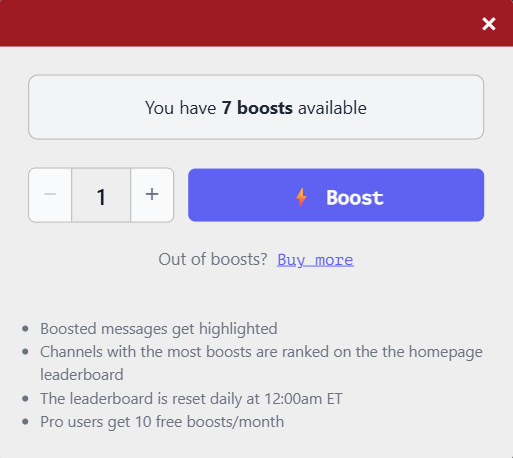
After clicking ⚡ Boost, the Boost panel opens. This is where you control how much visibility a message gets:
You can boost the same message multiple times
Each boost increases its position on the Boosted Leaderboard
There is no limit to how many times a message can be boosted
Add as many boosts as you want to help it rise
More boosts = stronger signal.
3. Instant Visibility
Once boosted:
🔵 The post turns blue inside the stock’s chat
🏆 The stock ticker appears on the Boosted Leaderboard on the CEO.CA homepage
4. Transparent Momentum
The leaderboard displays:
Total boosts received
Number of unique users who boosted the post
Users decide what matters. Nothing else.
Built for Fresh Signal - Every Day
All boosts reset daily at 12:00am ET. That means:
A clean slate every trading day
New ideas rise quickly
The homepage reflects today’s most compelling conversations
Designed for Power Users
CEO.CA Pro members receive:
⚡ 10 free boosts per month, included with all Pro subscription tiers
Need more?
Additional boosts are available to all users for $1 per boost
Use boosts to:
Highlight breaking insights
Surface deep research
Draw attention to posts that sharpen the investment debate